

Synology Network Attached Storage (NAS) Solutions
What is NAS?
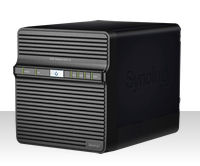
NAS stands for (Network Attached Storage) and began as simply that, a storage volume that was accessible over a network. Over the years NAS has evolved into having all of the features of a common PC-based server. In fact, just one NAS box in the home or small to medium sized business can play the role of what used to require several pieces of hardware, saving both time and money.Here is a short list of the features NAS can provide.
Today, most offices require the ability of storing data and having that data conveniently accessible amongst its employees. Traditionally, most offices would utilize a combination PC File and FTP Server, a system that requires high-maintenance. Typically businesses would have to budget a premium amount to achieve higher reliability and to have IT personal to maintain such a server.
With these concerns in mind, the Synology Server was designed from the ground up, not only to feature the capability of accessing data locally within networks, but even remotely via Synology's Web-based File Station, or FTP Service. With many means of accessing data locally or remotely, Synology Servers are aimed for offices who want easy access to their data.
Easy-to-Manage: Using Synology's intuitive web user interface, an office manager can easily manage the Synology Server, without the need for extensive computer knowledge. Furthermore with a web-based interface, IT personnel can remotely manage the server from any where with a browser.
Auto-email Notification: The Synology Email Notification will inform the administrator should the volume become full, or if there is a defective fan, or defective disk, along with other notifications. This allows the administrator to take the appropriate action before permanent damage to the data occurs.
Energy Efficient: Synology Servers consume much less power than a common PC server and also support RAID disks hibernation. Disk hibernation not only saves energy, but also prolongs disk life expectancy.
Access data anywhere with web browser: Synology's File Station is a Web-based File Manager used for remote access of the data on the Synology Server through a standard web browser. It is quickly accessible from the Synology Management menu, and allows remote users to upload or download data from the Synology server. This makes it efficient for remote users to maintain contact with the office and to conveniently share information using standard web browser without complicated configuration.
FTP Service: This can be in used in place of the File Station. The FTP Service when used with FTP clients offer greater advanced capabilities, such as the ability for exchanging whole directories or large amounts of data between remote Synology server and local computers. An important benefit for those mobile users who need to access capacious amounts of data.
Redundant disk protection: All Synology multi-drive Servers offer RAID functions to help protect against hard disk failure. Should a disk fail, users can still access their data on the Synology Server.
Integrated user authentication for corporate use: Synology servers can join ADS domain, and the access control to shares can be set for domain users. Further, the ADS authentication for domain users is also used during browser-access and FTP access.
With Synology's auto-notification, and redundant RAID support, Synology Servers offer continuous reliability which reduces the total cost of ownership when contrasting against a traditional PC file servers. The additional functions of the Web File Manager, or the FTP Server, along with backup functions, make the Synology Server an ideal PC file server alternative for the networked office of today, allowing users to conveniently access their data anywhere, whether it is locally or remotely.
Page last edited 03/3/16 10:06
"Part of the inhumanity of the computer is that, once it is competently programmed and working smoothly, it is completely honest."
- Isaac Asimov